
Create a project
From your organization’s Projects page, create a new project. A short wizard walks you through:- Project name: e.g. “Clean Water Wells - Rural Rwanda”.
- Description: the elevator pitch. This appears on donor-facing pages, so write it for donors, not for internal use.
- Website: a link donors and reporters can use to learn more.
- Hero image: the visual anchor for the project and its donor reports.
- Location: an address or place; projects appear on maps in both the dashboard and the reporter app, and reporters can get directions to the site.
- Metrics: the numbers this project will prove. This is the most important design decision you’ll make; see Defining metrics.
- SDG goals: tag the project with the UN Sustainable Development Goals it advances (1–17).
- Funding: an optional funding goal and amount raised. This is tracked manually for display alongside impact data. Money doesn’t flow through Mirage.
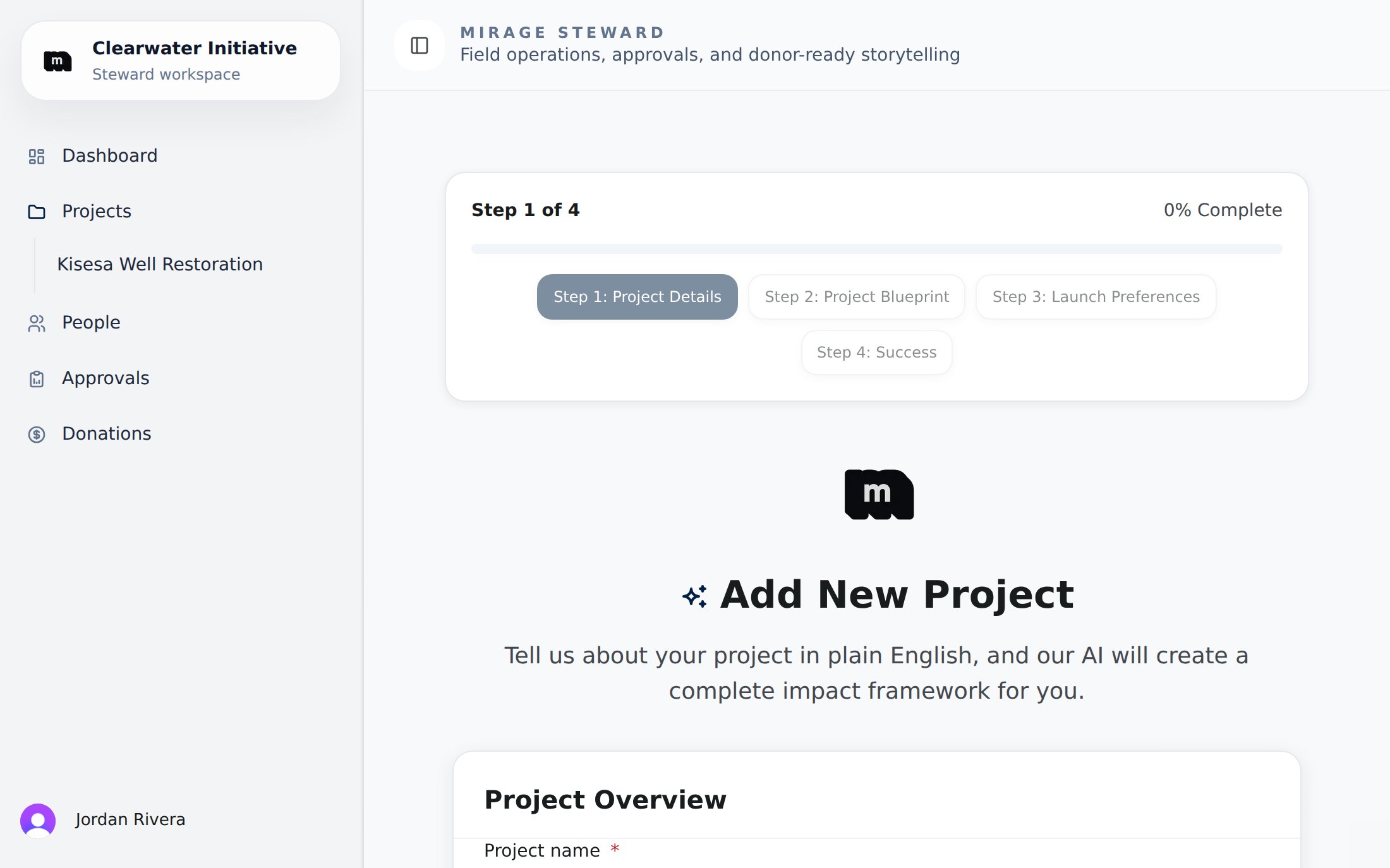
The new-project wizard: project details, then a generated blueprint, launch preferences, and a success screen.
Project status
Guiding the AI (optional)
Project settings include an optional custom AI guidance prompt. Anything you write there is taken into account when Mirage’s AI analyzes this project’s reports and writes its donor narratives. This is useful for domain-specific framing (“water access should be evaluated against WHO standards”, “always refer to participants as ‘students’”). Organizations working with the Gloo Human Flourishing framework can also enable its values rubric per project.After creation
The project page becomes your hub for that initiative:- Reporting tasks: the work you’re asking reporters to do. See Reporting tasks.
- Reports: submissions from the field, with review status.
- Donor reports: every impact page generated for this project.
- Revisits: scheduled follow-up verifications. See Revisit tasks.
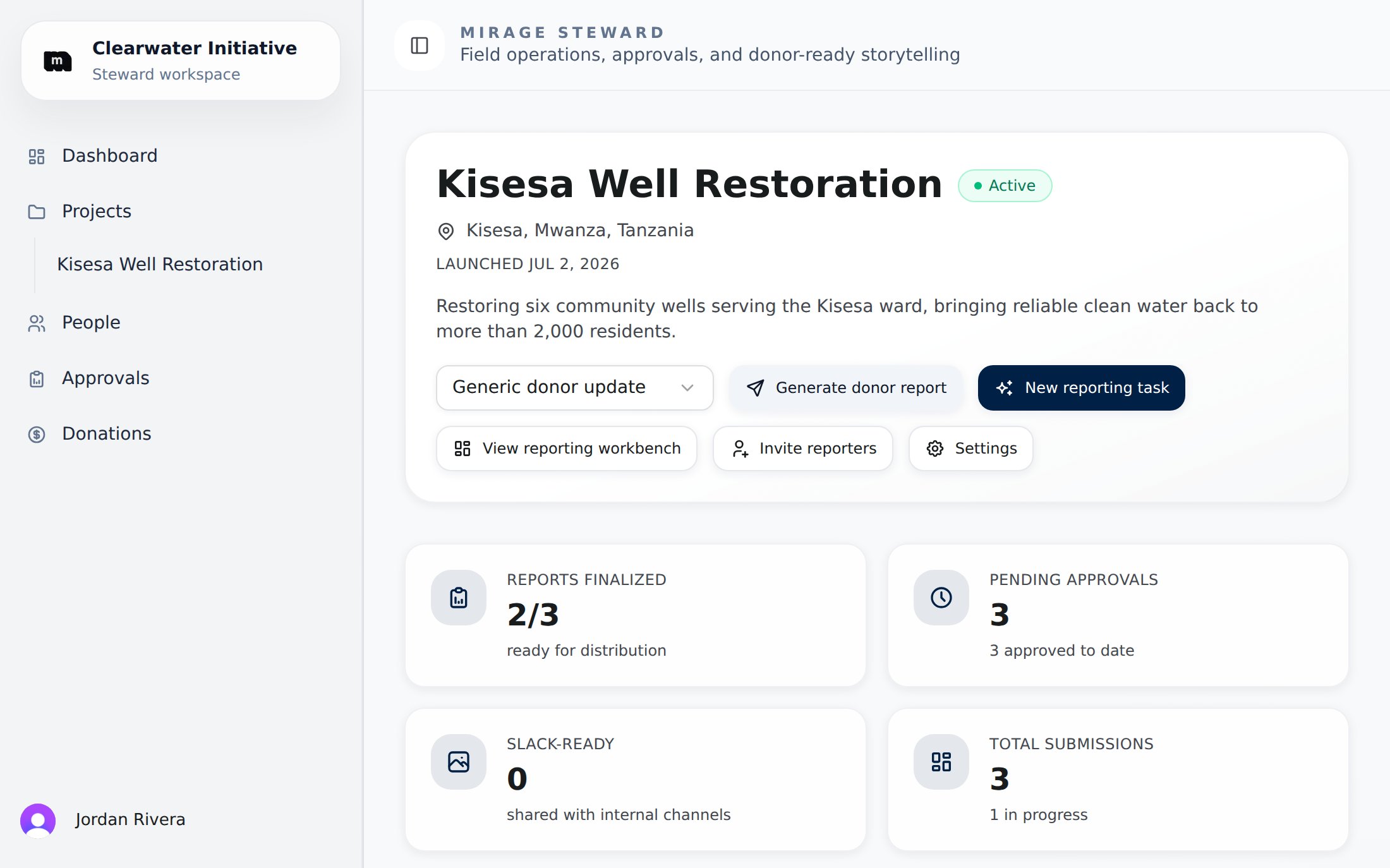
A live project page: one-click actions, report stats, and impact metrics aggregated from approved contributions.
Lifecycle
A project’s Settings page has a Lifecycle card for status changes, cloning, and deletion:- Clone project copies a project’s framework (its metrics, reporting tasks, and questions) into a new draft project. Reports and funding are never copied.
- Delete removes a draft project outright. Once a project has any submitted field report, delete is disabled. Archive it instead so the record is preserved.